

Most American digital agencies managing multiple WordPress sites struggle with outdated hosting setups that cannot scale or adapt quickly. The need for customizable, cloud-based server environments is more urgent than ever as teams juggle client demands and traffic surges. By understanding the core features of modern cloud hosting, WordPress professionals gain the power to enhance site reliability and performance while keeping operational headaches to a minimum.
Table of Contents
- Cloud Hosting Defined For WordPress Teams
- Key Types Of Cloud Hosting Solutions
- Performance, Scalability, And Customization Features
- Security, Control, And Automation In The Cloud
- Cost, Value, And Alternatives Compared
- Real-World Scenarios For Agencies And Freelancers
Key Takeaways
| Point | Details |
|---|---|
| Cloud Hosting Advantages | Cloud hosting offers flexibility and scalability, allowing WordPress teams to adapt resources based on real-time traffic demands, improving performance and uptime. |
| Key Cloud Models | Understanding IaaS, PaaS, and SaaS is crucial for selecting the right cloud hosting solution tailored to specific project requirements. |
| Performance and Customization | Cloud hosting supports dynamic resource allocation, reducing latency and enhancing website responsiveness while providing developers with granular control over configurations. |
| Cost Savings Potential | The pay-as-you-go pricing model of cloud hosting can lead to significant savings by only charging for actual resource usage, unlike traditional fixed-price hosting. |
Cloud Hosting Defined for WordPress Teams
Cloud hosting represents a revolutionary approach for WordPress development teams seeking flexible, scalable server infrastructure. Unlike traditional single-server hosting models, cloud hosting distributes website resources across multiple interconnected servers, creating a dynamic and resilient computing environment. Cloud hosting configurations enable WordPress professionals to dynamically allocate computing power, storage, and network resources based on real-time website demands.
The architecture of cloud hosting provides WordPress teams with significant advantages over traditional hosting. Multiple physical servers work together as a unified system, allowing instant resource scaling, improved redundancy, and enhanced performance. When one server experiences issues, other servers in the network can seamlessly take over, ensuring continuous website availability. This distributed infrastructure means WordPress sites can handle sudden traffic spikes without performance degradation or downtime.
For WordPress development teams, cloud hosting offers unparalleled flexibility and control. Developers can quickly spin up staging environments, test configurations, and deploy websites across different server locations. The ability to instantly adjust server resources means teams can optimize costs while maintaining high performance. Automatic load balancing, built-in redundancy, and advanced security features make cloud hosting an intelligent choice for WordPress professionals who demand reliability and scalability.
Pro tip: Before migrating to cloud hosting, conduct a comprehensive performance audit of your current WordPress infrastructure to establish baseline metrics and identify specific optimization opportunities.
Key Types of Cloud Hosting Solutions
Cloud hosting encompasses several strategic models that provide WordPress teams with diverse infrastructure options. Cloud computing architectures offer multiple deployment strategies ranging from Infrastructure as a Service (IaaS) to Platform as a Service (PaaS), each delivering unique capabilities for web development professionals. Understanding these models helps teams select the most appropriate solution for their specific WordPress hosting requirements.
The primary cloud hosting models include Infrastructure as a Service (IaaS), Platform as a Service (PaaS), Software as a Service (SaaS), and emerging solutions like Containerization as a Service (CaaS). IaaS provides the most flexible approach, allowing developers complete control over server configurations, networking, and storage resources. PaaS offers a more managed environment with built-in development tools and automated infrastructure management, reducing the technical overhead for WordPress teams. SaaS solutions provide fully managed platforms where all technical complexities are handled by the service provider.
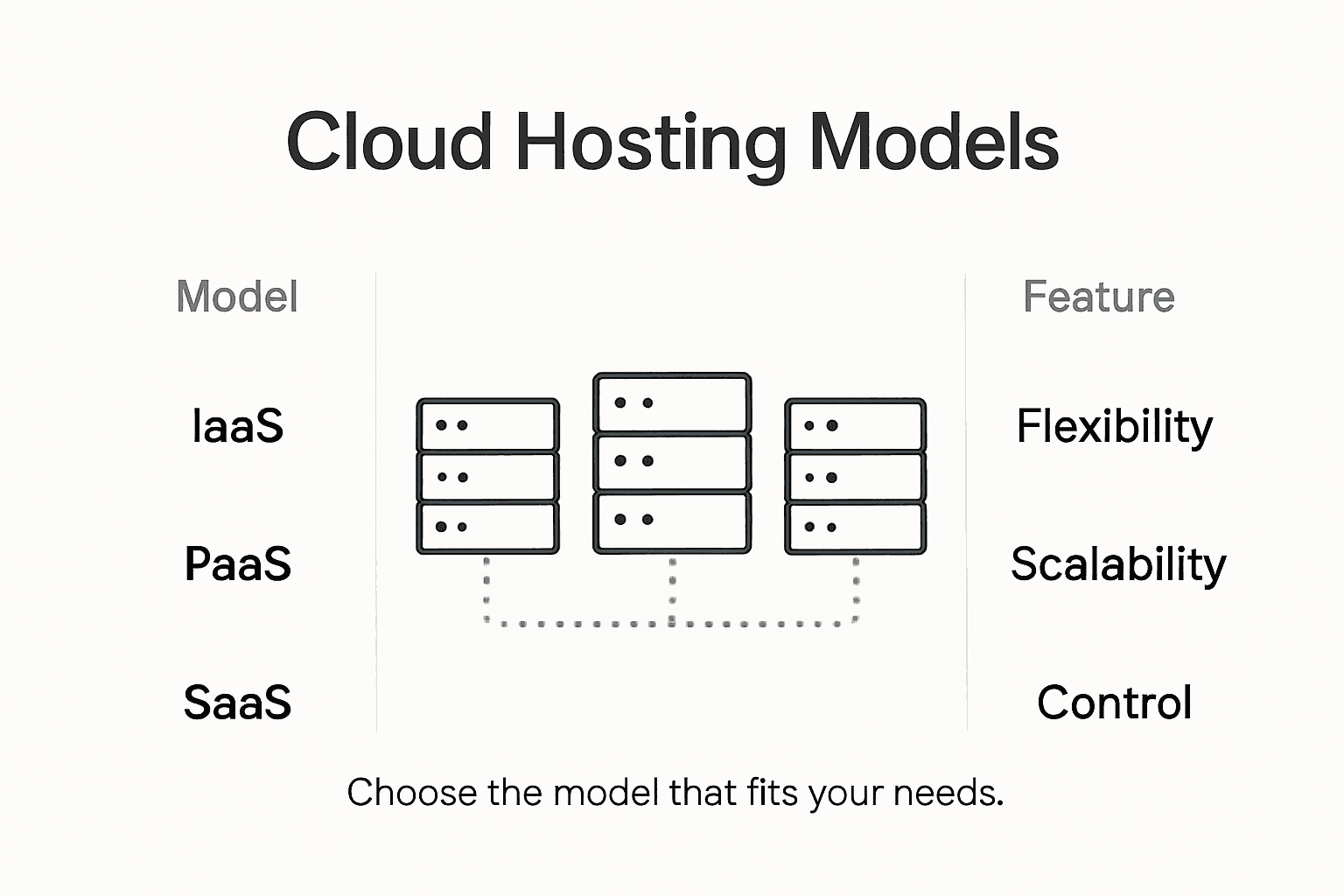
Deployment models for cloud hosting further diversify the ecosystem, including public cloud, private cloud, hybrid cloud, and multi-cloud strategies. Public cloud solutions offer cost-effective, scalable resources shared across multiple users, while private cloud environments provide dedicated infrastructure for organizations with stringent security requirements. Hybrid and multi-cloud approaches enable WordPress teams to leverage the strengths of different providers, creating flexible and resilient hosting architectures that can adapt to changing project demands.
Pro tip: Conduct a comprehensive evaluation of your WordPress project’s specific performance, security, and scalability requirements before selecting a cloud hosting model to ensure optimal alignment with your development goals.
Here’s a comparison of major cloud hosting models for WordPress teams:
| Hosting Model | Level of Control | Typical Use Case | Customization Potential |
|---|---|---|---|
| IaaS | Full | Complex sites, custom stacks | Highest flexibility |
| PaaS | Moderate | Rapid development, managed infrastructure | High, but platform-dependent |
| SaaS | Minimal | Turnkey solutions, non-technical users | Limited, provider-managed |
| CaaS | High | Containerized deployments, microservices | Advanced, supports custom images |
Performance, Scalability, and Customization Features
Cloud hosting performance capabilities revolutionize WordPress infrastructure by providing unprecedented flexibility and resource management for development teams. Unlike traditional hosting models, cloud environments enable dynamic resource allocation, allowing websites to instantly scale processing power, memory, and bandwidth according to real-time traffic demands. This adaptive infrastructure ensures WordPress sites maintain optimal performance during unexpected traffic surges or complex computational requirements.
Performance benchmarks reveal significant advantages in cloud hosting architectures. Distributed computing allows WordPress sites to leverage multiple server resources simultaneously, reducing single-point-of-failure risks and improving overall site responsiveness. Key performance metrics include reduced latency, faster content delivery, and more efficient resource utilization. Performance benchmarking studies demonstrate that cloud hosting can dramatically improve website loading speeds by distributing computational workloads across global server networks.

Customization represents another critical advantage of cloud hosting for WordPress professionals. Developers gain granular control over server configurations, enabling precise tuning of PHP versions, database settings, caching mechanisms, and network parameters. Advanced cloud platforms support containerization technologies, allowing teams to create reproducible, scalable deployment environments that can be easily replicated across different infrastructure providers. This flexibility empowers WordPress teams to optimize their hosting infrastructure for specific project requirements, performance targets, and budget constraints.
Pro tip: Implement comprehensive performance monitoring tools during cloud migration to establish baseline metrics and continuously track infrastructure optimization opportunities.
Security, Control, and Automation in the Cloud
WordPress hosting security best practices demonstrate the transformative power of cloud-based security infrastructure for development teams. Modern cloud environments provide sophisticated, multi-layered protection mechanisms that far exceed traditional hosting models. Advanced security features include automated threat detection, real-time monitoring, integrated firewalls, and comprehensive vulnerability scanning, enabling WordPress teams to proactively defend against sophisticated cyber threats.
Automation represents a critical breakthrough in cloud hosting security strategies. Intelligent security systems can now automatically detect, isolate, and neutralize potential security risks without manual intervention. These systems leverage machine learning algorithms to analyze traffic patterns, identify potential intrusion attempts, and implement instant protective measures. AI-driven WordPress security technologies are revolutionizing threat management by providing continuous, adaptive defense mechanisms that evolve alongside emerging cybersecurity challenges.
Control and customization are fundamental advantages of cloud hosting security architectures. WordPress professionals gain granular control over access permissions, network configurations, and security protocols. Containerization technologies enable teams to create isolated, secure environments that can be precisely configured and quickly replicated. Advanced cloud platforms support multi-factor authentication, comprehensive logging, detailed audit trails, and fine-grained role-based access controls, ensuring that development teams maintain complete visibility and management over their WordPress infrastructure security.
Pro tip: Implement a comprehensive security assessment strategy that combines automated scanning tools with periodic manual security audits to identify and address potential vulnerabilities in your cloud hosting environment.
Cost, Value, and Alternatives Compared
WordPress hosting cost comparisons reveal a complex landscape of pricing models and value propositions for development teams. Cloud hosting represents a flexible, pay-as-you-go approach that allows WordPress professionals to optimize infrastructure expenses dynamically. Unlike traditional fixed-price hosting, cloud solutions enable precise resource allocation, meaning teams only pay for the computational power and storage they actually consume. This granular pricing model can result in significant cost savings for projects with fluctuating traffic and resource requirements.
The total cost of ownership for cloud hosting extends beyond simple monthly fees. Scalability economics play a crucial role in understanding long-term value, with cloud platforms offering substantial advantages in resource management and operational efficiency. Traditional WordPress hosting often requires manual infrastructure upgrades, while cloud environments automatically adjust resources in real-time. This adaptive capability reduces administrative overhead, minimizes downtime, and provides a more predictable financial model for WordPress development teams seeking to optimize their technology investments.
Alternative hosting models each present unique trade-offs in cost and functionality. Shared hosting remains the most budget-friendly option but sacrifices performance and customization. Managed WordPress hosting offers convenience but typically comes with higher price points and less technical flexibility. Virtual Private Server (VPS) hosting provides a middle ground, offering more control than shared environments while remaining more affordable than dedicated cloud infrastructure. Cloud hosting emerges as a compelling solution that balances cost-effectiveness, scalability, and technical control, making it increasingly attractive for WordPress professionals seeking sophisticated yet economical hosting solutions.
This table summarizes cost and value differences among hosting options:
| Hosting Type | Pricing Model | Performance Level | Scalability |
|---|---|---|---|
| Shared Hosting | Lowest, fixed price | Basic for small sites | Limited |
| VPS Hosting | Moderate, fixed | Improved, isolated | Moderate |
| Managed WP Hosting | Higher, fixed | Optimized for WordPress | Limited |
| Cloud Hosting | Pay-as-you-go | Scalable, robust | Instant, dynamic |
Pro tip: Conduct a comprehensive total cost of ownership analysis that accounts for not just monthly fees, but also potential savings from reduced administrative time, improved performance, and automatic scaling capabilities.
Real-World Scenarios for Agencies and Freelancers
WordPress hosting strategies for agencies reveal complex requirements that demand sophisticated cloud infrastructure solutions. Freelancers and digital agencies face unique challenges in managing multiple client websites, requiring hosting platforms that offer centralized control, scalable resources, and robust performance optimization. Cloud hosting emerges as a powerful solution, enabling professionals to efficiently manage diverse WordPress projects with unprecedented flexibility and technical control.
Agencies benefit significantly from cloud hosting’s multi-site management capabilities. Centralized deployment allows teams to standardize server configurations, implement consistent security protocols, and rapidly provision new client websites. This approach eliminates traditional barriers of individual hosting accounts, creating a streamlined workflow where developers can quickly clone environments, test configurations, and scale resources dynamically. Advanced cloud platforms support white-labeling features, enabling agencies to present hosting services under their own brand while leveraging robust underlying infrastructure.
Freelance WordPress professionals find cloud hosting particularly advantageous for handling client diversity. Different projects require varying computational resources, and cloud environments allow instant scaling without manual server migrations. Development teams can create isolated, secure environments for each client, implementing precise access controls and performance monitoring. This granular approach reduces technical complexity, minimizes potential security risks, and provides a professional, enterprise-grade hosting solution that can adapt to rapidly changing project requirements.
Pro tip: Develop a standardized onboarding template for client website migrations that includes performance benchmarking, security assessment, and resource allocation strategies to streamline your cloud hosting workflow.
Unlock True WordPress Success with Cloud Hosting and LaunchWP.io
The article highlights critical challenges WordPress teams face like the need for flexible scalability, granular control, seamless staging, and robust security Cloud hosting answers these by enabling dynamic resource allocation, automated backups, and highly customizable server environments. If you want to overcome manual infrastructure headaches and unpredictable costs while mastering full control over your WordPress hosting, the solution is at your fingertips
LaunchWP.io empowers developers, agencies, and freelancers with powerful tools tailored for the cloud hosting era. With features like one-click staging, custom Nginx configuration, PHP version switching, and team collaboration, you get everything needed to manage your WordPress sites effortlessly across top cloud providers such as AWS, DigitalOcean, and Google Cloud. Experience easy server management combined with full root and CLI access for unmatched technical control.
Ready to scale your WordPress projects with confidence and complete control The time to act is now Explore how LaunchWP.io can transform your cloud hosting experience Deliver superior performance and security while optimizing costs and automation Visit LaunchWP.io and start your journey toward seamless WordPress hosting today
Frequently Asked Questions
What are the key benefits of cloud hosting for WordPress?
Cloud hosting provides flexibility, scalability, improved performance, and enhanced security. It allows resources to be allocated dynamically based on real-time traffic demands and ensures high availability even during server issues.
How does cloud hosting improve website performance for WordPress?
Cloud hosting enhances performance through distributed computing, enabling multiple server resources to work together. This reduces latency, speeds up content delivery, and ensures efficient resource utilization during traffic surges.
What should I consider when choosing a cloud hosting model for my WordPress site?
Consider factors such as control level, project requirements, and scalability needs. Models like IaaS provide full control, while PaaS offers managed environments to simplify development. Evaluate your specific project’s performance, security, and cost needs.
How does cloud hosting help with website security for WordPress?
Cloud hosting enhances security with multi-layered protection, including automated threat detection, real-time monitoring, and integrated firewalls. These advanced features help proactively defend against cyber threats, ensuring better overall security for WordPress sites.